
To configure the My Apps module, follow these steps:
Access My Apps settings
Go to Account Settings and open the My Apps tab.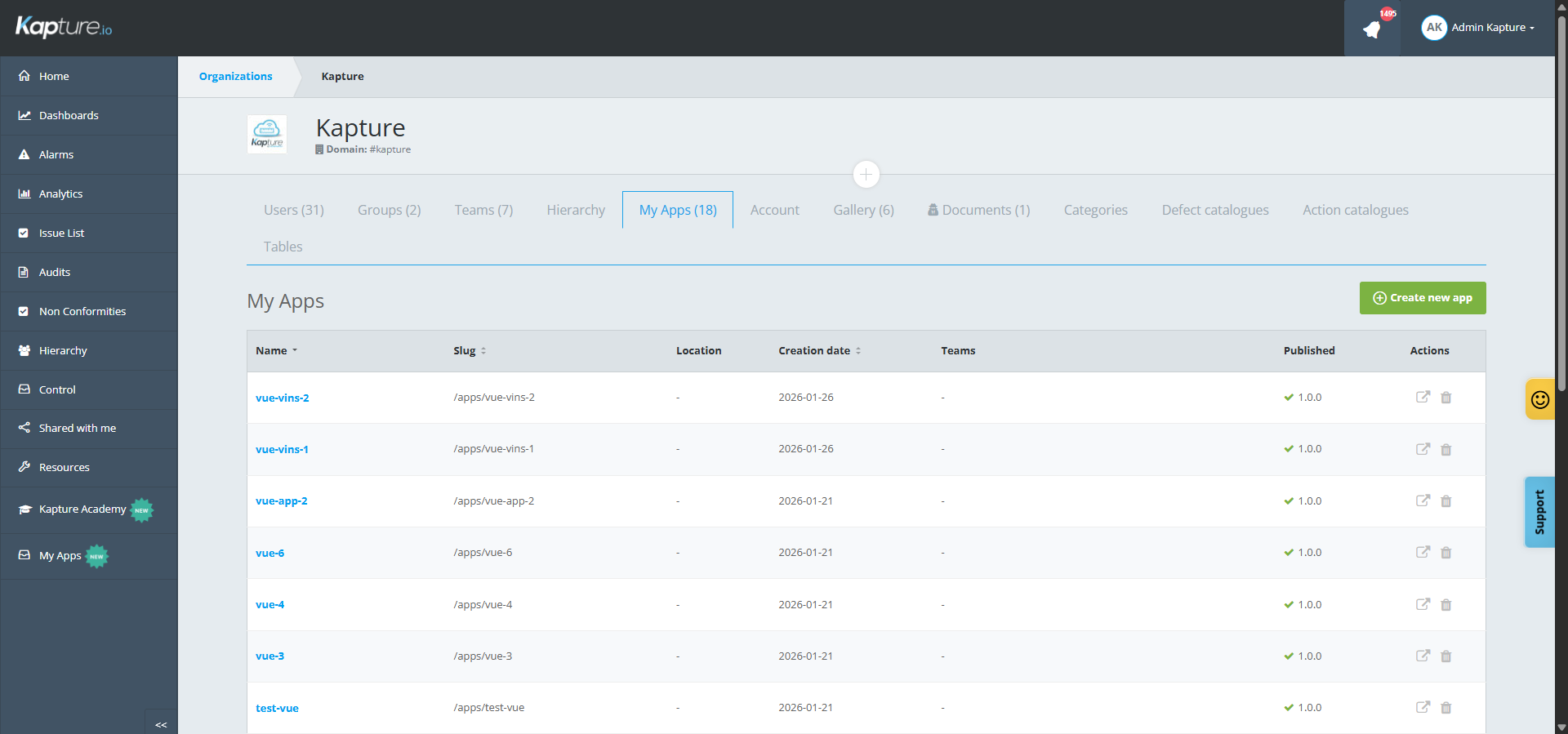
Create a new application
Click on Create new app to open the configuration modal.Complete the application details
Fill in the required fields: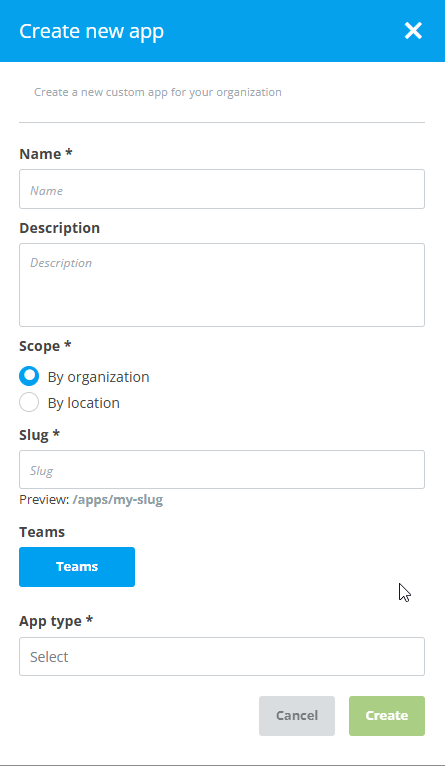 Name: Application name displayed to users
Description: Optional description of the application
Scope: Define whether the app is available by organization or by location
Slug: Unique identifier used to generate the application URL
Teams: Select the teams that will have access to the app
Select the application type
Choose the integration type:Iframe: Embed an external application using a URL
Web component: Upload an application bundle (available for advanced integrations)
In the current phase, iframe-based applications are the recommended and fully supported option.
Provide the integration source
For iframe apps, enter the Iframe URL
For web components, upload the application bundle file
Create the application
Click Create to save and publish the app.
Once created, the application will be available in the My Apps module, where users can view and access all configured applications directly within Kapture.